SpaceTimer
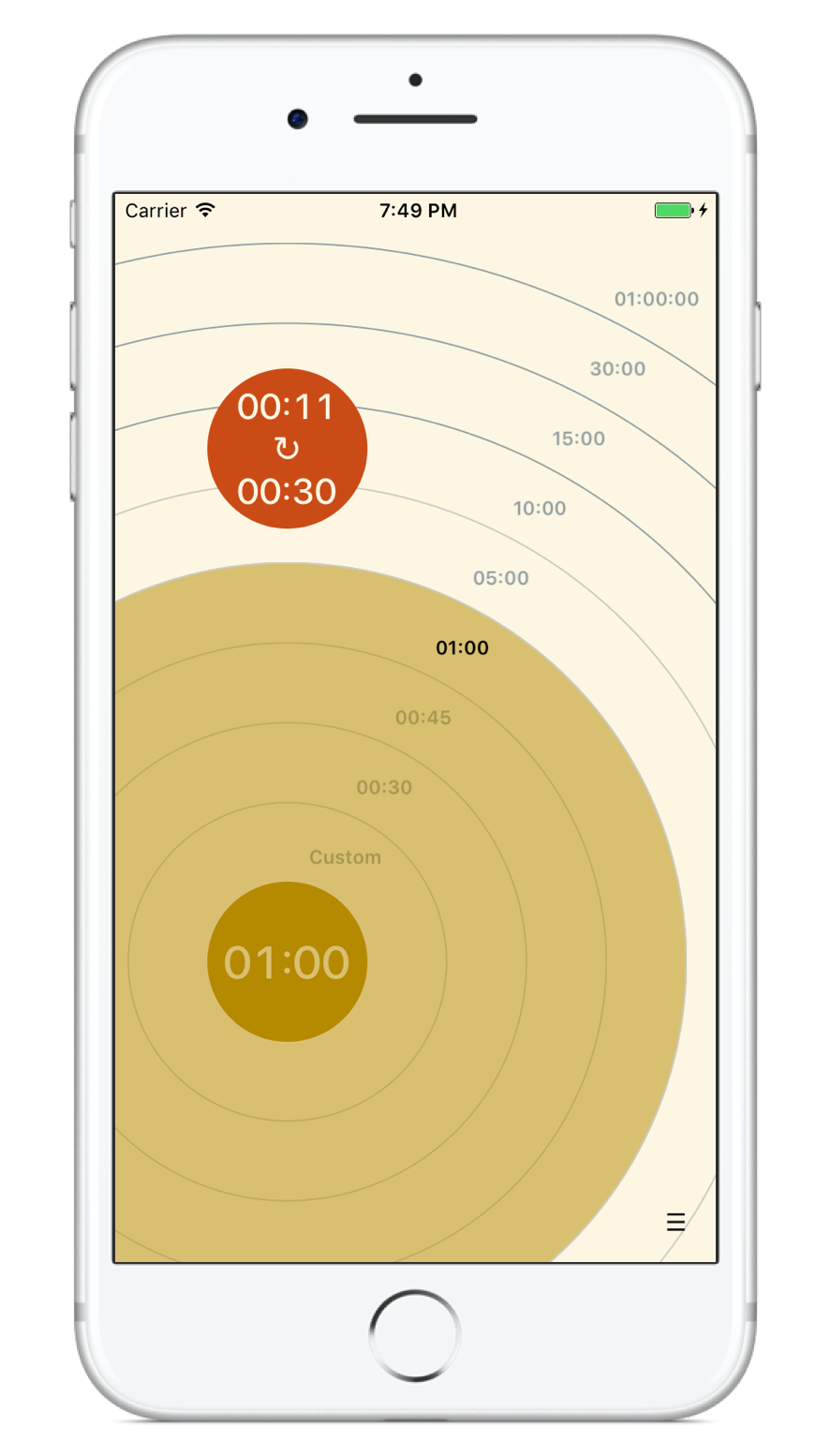
Need
Sometimes you need to keep track of multiple timers at once. For example, you may have a couple of dishes on the stovetop, and desert in the oven, and each needs to cook a different amount of time. Apple’s iPhone timer only lets you time one thing at a time.
Process
Third-party apps let you start multiple timers, but to disambiguate which is which, the user needs to enter a verbal label for each, like “rice” or “brownies”. Interviews reveal that the mere act of having to type these labels is barrier enough to starting timers.
Contextual inquiry in real kitchens, for example, reveal that cooks start multiple physical timers without needing to keep track of which is which, because they use space to remember which is which. This is an example discrete physical devices being more efficient than digital ones.
Solution
SpaceTimer mimics the real-world by letting you quickly start timers (and stopwatches) on a 2D canvas, using space as a mnemonic device, which eliminates the need for verbal labels. It was designed for efficiency, with a very low interaction cost. SpaceTimer had thousands of downloads from the App Store, and daily use. It was recently removed because Apple does not allow third-party apps too send aural notifications when user’s phones are in silent mode, dramatically limiting its usefulness. Shortly after its release, Apple has implemented a similar drag gesture for setting timers though Apple’s feature is more limited and restricted to a single timer.
Mise en place
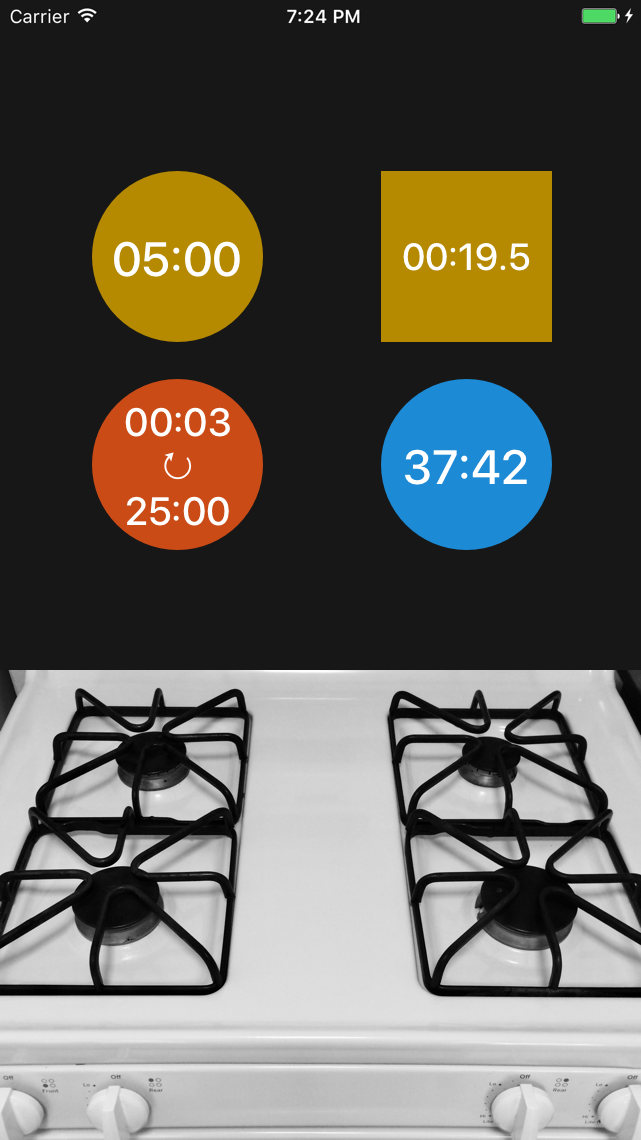
Make intelligent use of space by positioning timers & stopwatches naturally.
Minimalist
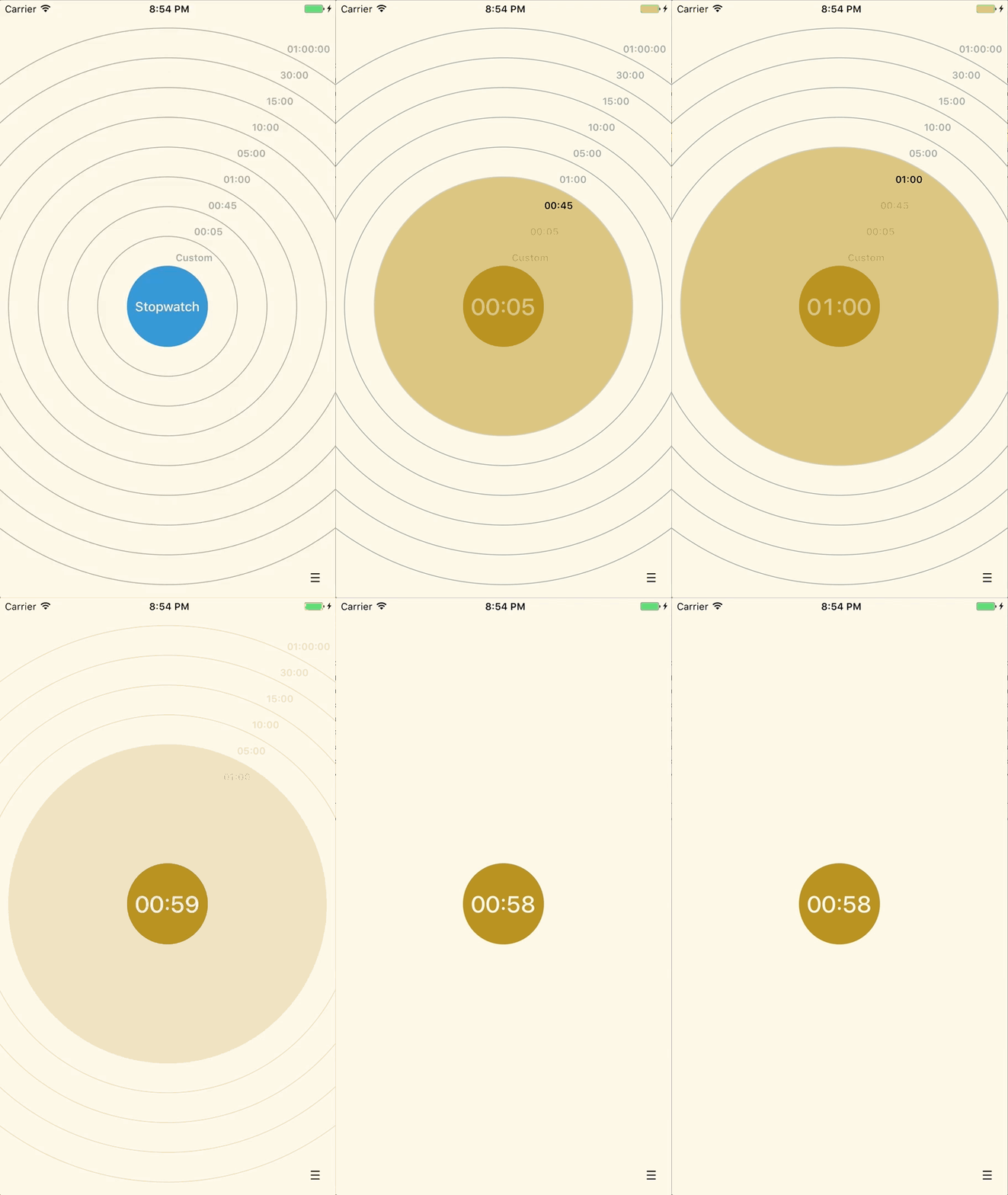
Create, move and delete timers by swiping against a light or dark background.
Customizable
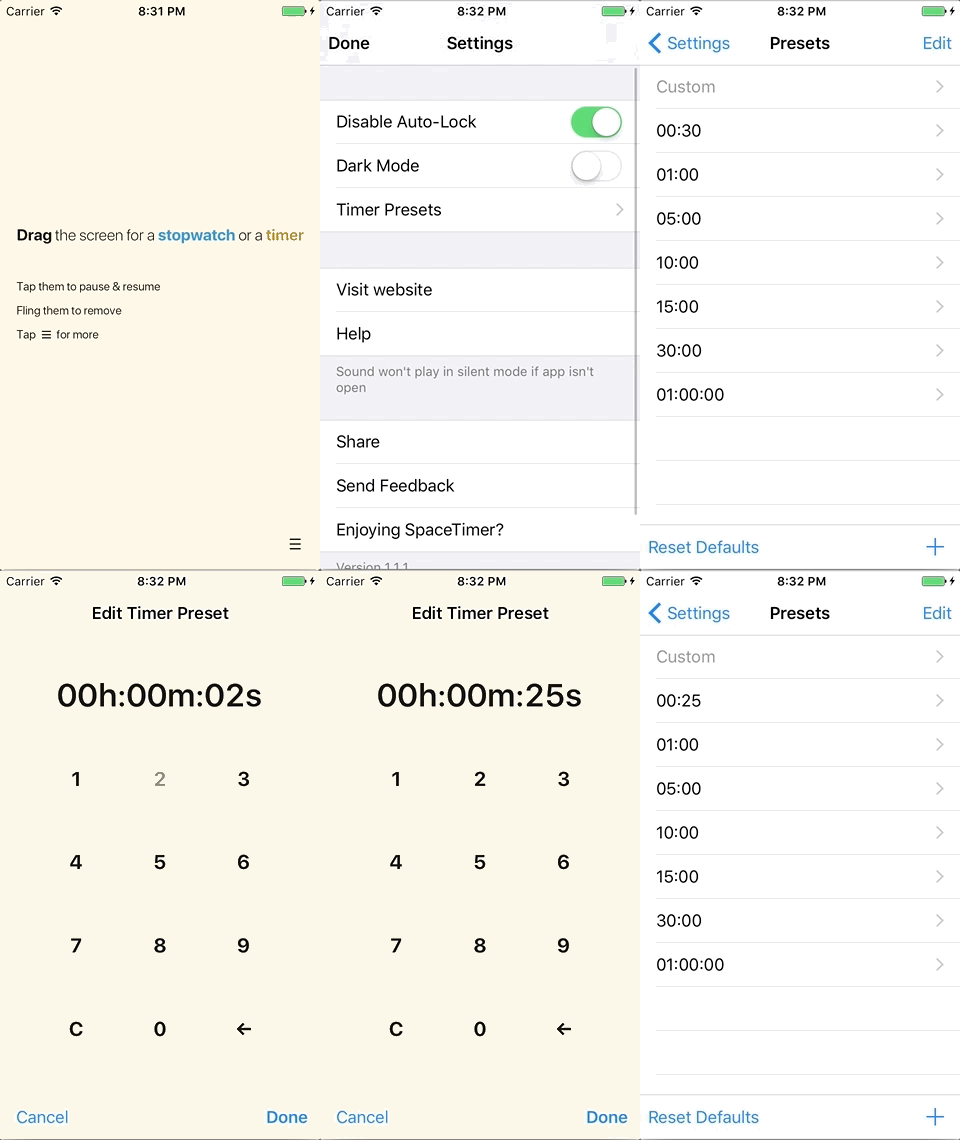
Customize presets based on your most common tasks, like making coffee, cooking and exercising.